Add bypass URL categories and reputations
This task allows you to bypass decryption for specific URL categories and reputations to improve performance and reduce processing overhead for trusted or sensitive content.
This task is optional and discusses how to bypass decryption of categories and reputations, based on ratings provided by Cisco Talos.
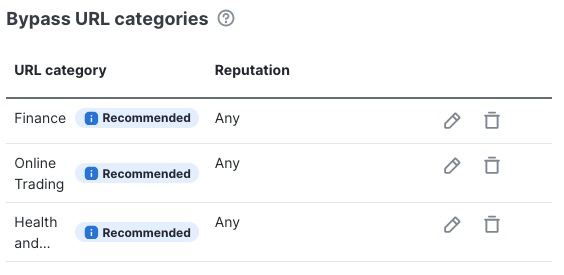
The following figure shows the list of categories and reputations we recommend.
Before you begin
Complete the tasks discussed in Create a standard decryption policy with outbound protection.
Follow these steps to add bypass URL categories and reputations:
Procedure
Step 1 | In the Bypass URL categories section, do any of the following:
|
Step 2 | To add or edit a category/reputation, from the first list, click the name of a category. For more information about categories, see Intelligence Categories. |
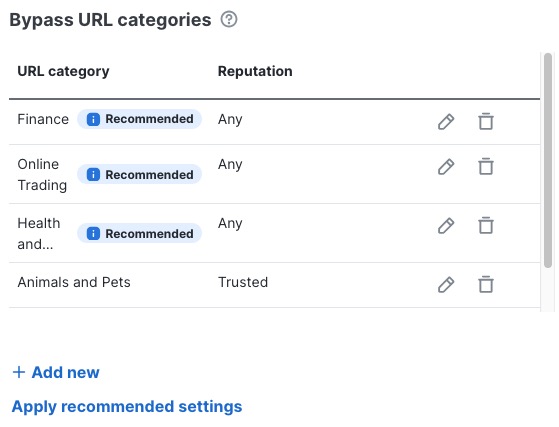
Step 3 | From the second list, click the name of a reputation. For more information about reputations, see Web reputation levels. The following figure shows an example of using Cisco's defaults and adding the Animals and Pets category with the Trusted reputation. |
Step 4 | Click Save. This figure shows an example.
|
Step 5 | If you're finished configuring your policy, see Decryption policy actions. |