Add bypass sources and destinations
Add bypass sources and destinations to optionally bypass outbound traffic originating from source networks or going to destination networks that you trust.
You should generally bypass traffic only if you trust the traffic from these networks.
Before you begin
Complete the tasks discussed in Create a standard decryption policy with outbound protection.
Follow these steps to add bypass sources and destinations:
Procedure
Step 1 | Click Add new under Bypass sources and destinations for either source network objects or destination network objects. | ||
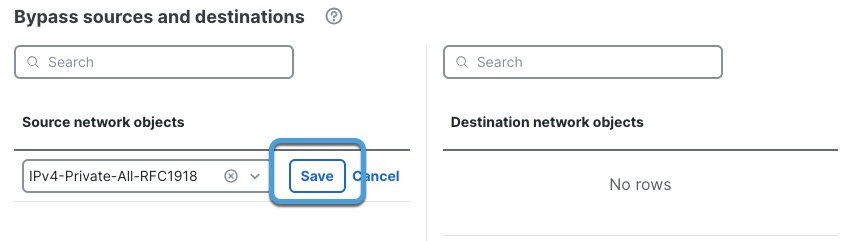
Step 2 | In the dialog box that is displayed, do any of the following:
The following figure shows an example.
| ||
Step 3 | Click Save. | ||
Step 4 | If you're finished configuring your policy, see Decryption policy actions. |