Add internal servers
Add internal servers to specify certificates, networks, and ports for traffic decryption, which enables protection of internal servers and optimizes processing time.
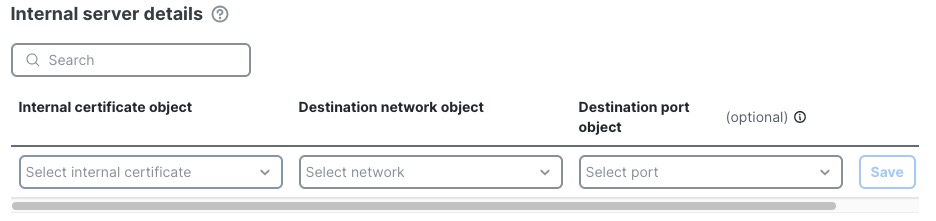
This task discusses how to choose certificates to use to decrypt traffic coming to internal servers you want to protect. In addition to choosing a certificate, you can also specify the network and port on which the internal server is located, saving processing time.
Before you begin
Complete the tasks discussed in Create a standard decryption policy with inbound protection.
Follow these steps to add internal servers:
Procedure
Step 1 | Click Add new under Internal Server Details. | ||||
Step 2 | In the Internal Servers dialog box, do any of the following:
| ||||
Step 3 | Click Save. This figure shows an example.
| ||||
Step 4 | Save the decryption policy by clicking Save at the top of the page. | ||||
Step 5 | If you're finished configuring your policy, see Decryption policy actions. |