Add networks and users
This task allows you to enforce decryption of outbound traffic from specific networks and from users and groups in Microsoft AD, LDAP, or Local realms.
Only traffic that matches all of the networks and users you select is decrypted.
Before you begin
Complete the tasks discussed in Create a standard decryption policy with outbound protection.
Follow these steps to add networks and users to your decryption policy:
Procedure
Step 1 | Complete the tasks discussed in Create a standard decryption policy with outbound protection. |
Step 2 | Click Add new next to Decrypt Networks and Users. |
Step 3 | From the Source Network Objects list, do any of the following:
|
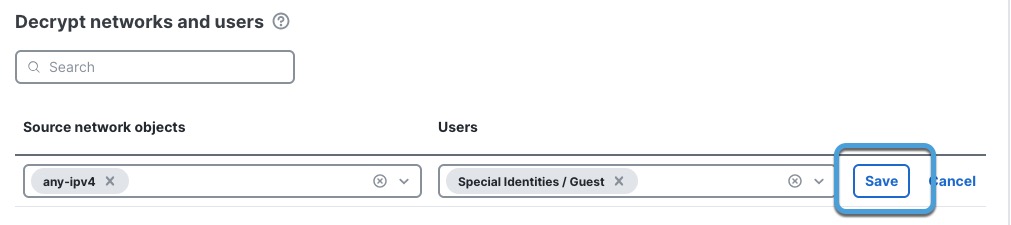
Step 4 | From the Users list, select the check box next to each user or group name to decrypt. To decrypt traffic from all users, click Add New and Save the row without selecting any users. This figure shows an example of selecting a network and users to decrypt.
|
Step 5 | Click Save. |
Step 6 | If you're finished configuring your policy, see Decryption policy actions. |