Add security zones (inbound decryption)
Add security zones to an inbound standard decryption policy to specify Firewall Threat Defense device interfaces that send traffic to the internal server.
A security zone specifies a Firewall Threat Defense device interface that sends traffic to the internal server. Typically, for inbound protection, this will be an internal (or DMZ) interface.
You must choose both a source and destination security zone.
Before you begin
Complete the tasks discussed in Create a standard decryption policy with inbound protection.
Procedure
Step 1 | Click Edit zones next to Security Zones. | ||
Step 2 | In the Security Zones dialog box, do any of the following:
| ||
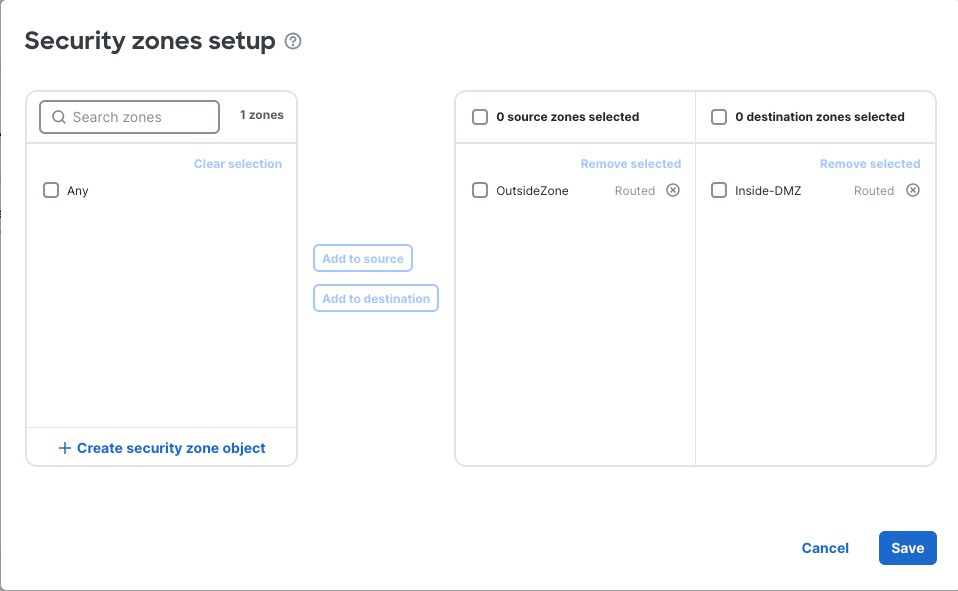
Step 3 | Click Add to Source to decrypt traffic that matches the source security zone or click Add to Destination to decrypt traffic that matches the destination security zone. If you select both source and destination zones, to be decrypted, traffic must match both zones. Typically, your internal server should be the destination of an inbound decryption rule. The following figure shows an example.
| ||
Step 4 | Click Save. | ||
Step 5 |