View Mesh Policy Engine policy
After you deploy a mesh policy to assigned Firewall Threat Defenses, you can view the mesh policy in the context of the existing Cloud-Delivered Firewall Management Center policy for each device. You can't edit the mesh policy within Cloud-Delivered Firewall Management Center.
If a Mesh Policy Engine deployment doesn't complete, you can't do a selective deploy of just the mesh policy in Cloud-Delivered Firewall Management Center; you need to re-deploy it in Mesh Policy Engine. Alternatively, you can deploy the entire access control group in Cloud-Delivered Firewall Management Center, including the mesh policy.
You can only view one device at a time because Mesh Policy Engine assigns policy per enforcer.
Before you begin
Deploy the mesh policy to the Firewall Threat Defense.
Procedure
Step 1 | In Cloud-Delivered Firewall Management Center, choose . |
Step 2 | Click Edit ( 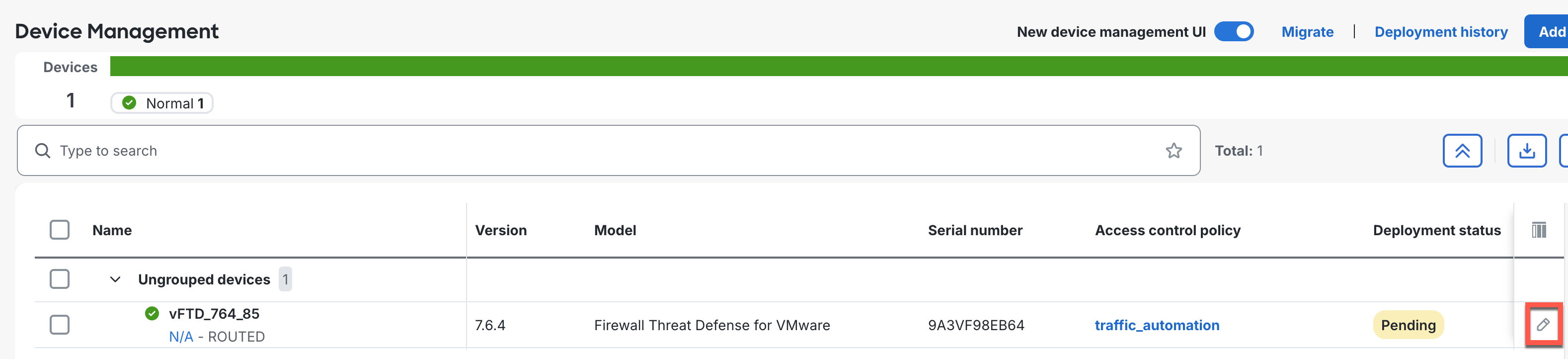
|
Step 3 | Click the Device tab, and in the Applied Policies area, click the link for the Mesh Policy Engine policy. 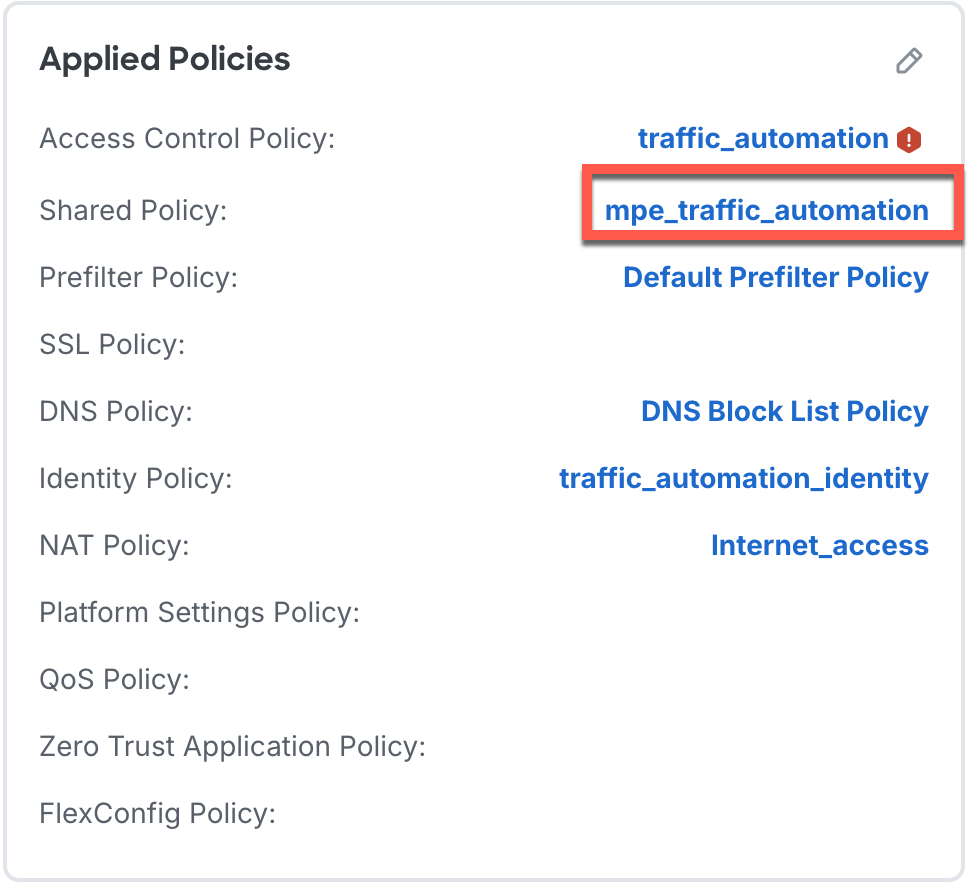
|
Step 4 | View the device policy in read-only mode. The policy is prefiltered to the device and has Show Mesh Policy rules checked. 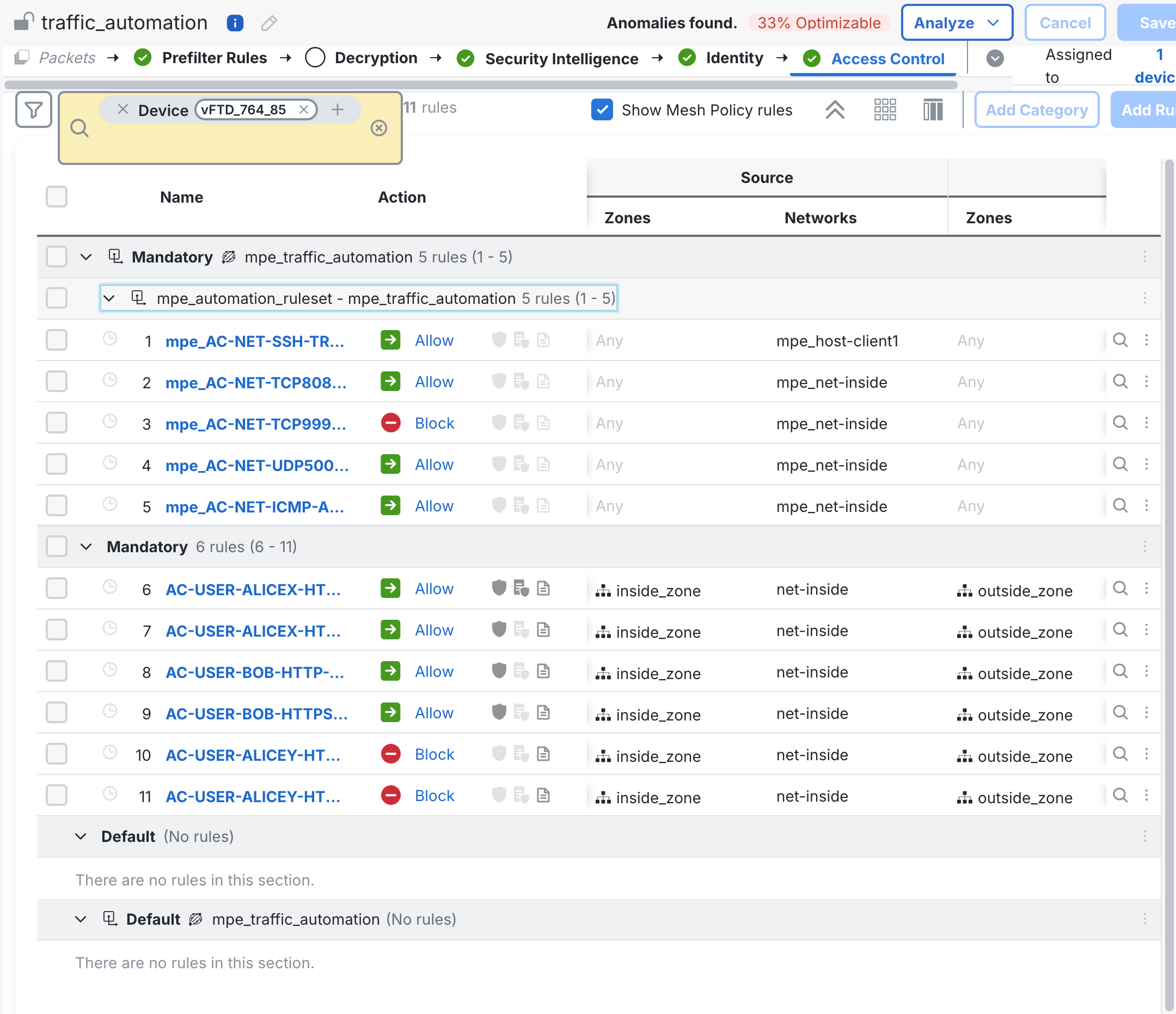
The Mesh Policy Engine Mandatory rules policy hierarchy shows above the device's existing Mandatory rules. The Mesh Policy Engine Default rules policy hierarchy shows below the device's existing Default rules. |
