Monitoring Jobs in Security Cloud Control
Jobs monitoring in Security Cloud Control is a management interface that
-
provides an overview of the progress of bulk operations, such as reconnecting multiple devices, reading configurations from multiple devices, or upgrading multiple devices simultaneously
-
uses color-coded rows along with the status of individual actions, indicating if they have succeeded or failed, and
-
displays results for each of the devices affected by the bulk operation when a row is expanded.
Job access methods
You can reach the Jobs page in two different ways:
-
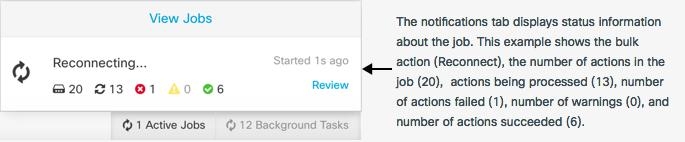
In the Notifications tab, when there is a new Job notification, click the Review link. You will be redirected to the Jobs page and see the specific job represented by the notification.
-
In the left pane, click . This table shows a complete list of the bulk actions performed in Security Cloud Control.
One row in the table represents a single bulk operation. This one bulk operation may have been, for example, an attempt to reconnect 20 devices. Expanding a row in the Jobs page displays the results for each of the devices affected by the bulk operation.
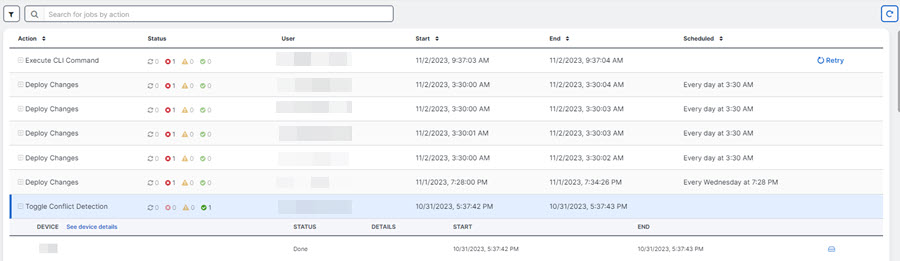
When you're on the Jobs page, you can filter and search by different actions, the users who performed them, and the action status.