Configure DNS over HTTPs or QUIC
Enable Security Intelligence inspection for DNS over HTTPS (DoH) and DNS over QUIC (DoQ) to protect against malicious domains.
This task helps you apply DNS filtering and sinkholing for encrypted DNS traffic, ensuring your network is protected using Security Intelligence policies.
Before you begin
Before you configure the feature, make sure these requirements are met:
-
DNS infrastructure: Internal or public DNS servers must be reachable.
-
Client configuration: Browsers or clients must have Secure DNS enabled.
-
Talos feed: Ensure the DNS Security Intelligence feed is updated and synchronized from the Talos cloud.
Procedure
Step 1 | Choose and create DNS lists for custom actions such as Do Not Block, Drop, Domain Not Found, and Sinkhole. |
Step 2 | Choose and configure a sinkhole object by specifying IPv4 and IPv6 addresses. |
Step 3 | Choose and create a new policy and add DNS rules that map the DNS lists created in Step 1. 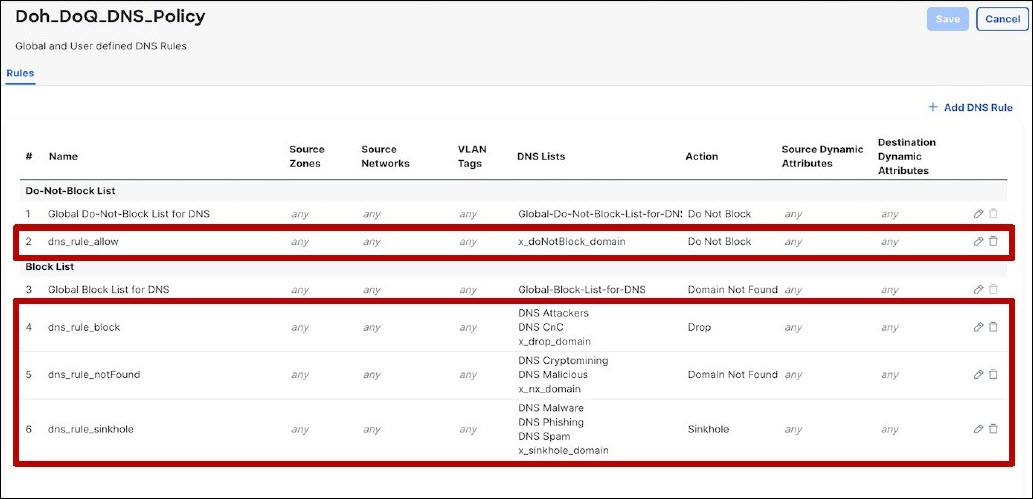 |
Step 4 | Choose and associate the DNS policy with your access control policy under the Security Intelligence tab. 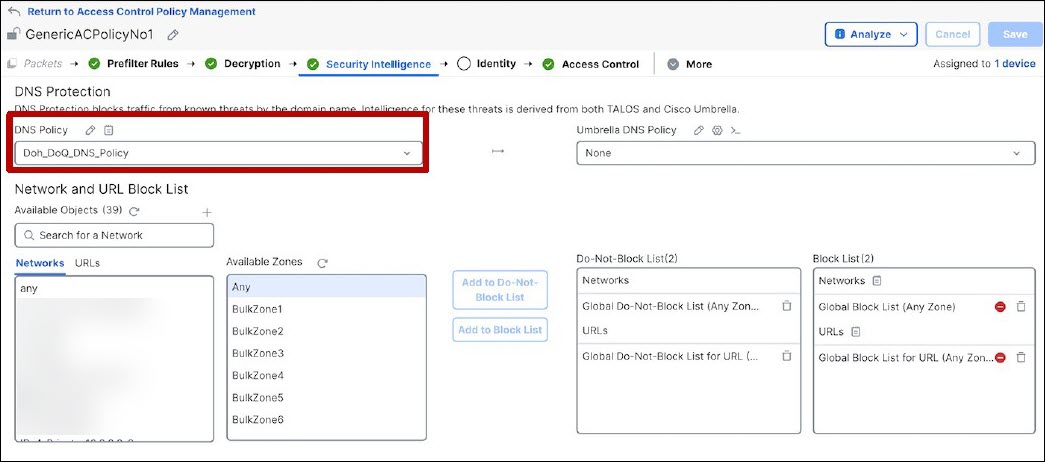 |
Step 5 | In the access control policy editor, add rules to allow applications such as HTTPS, HTTP/2, HTTP/3, and QUIC, ensuring DNS traffic is inspected. 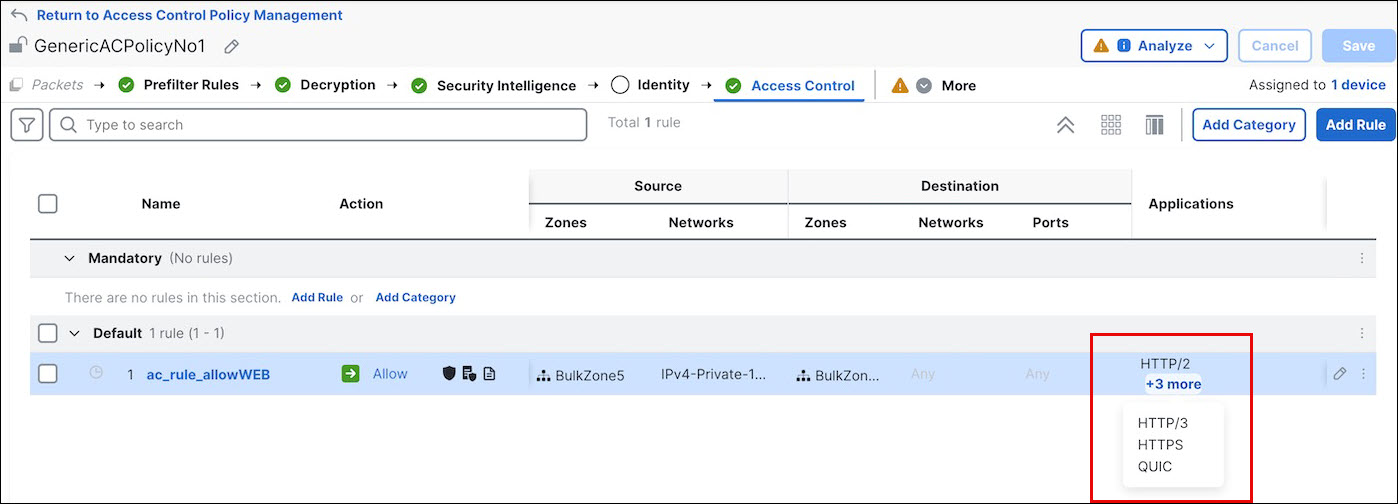 |
Step 6 | Save and deploy the policy to the Firewall Threat Defense device. |