Use the enhanced filters in device management page
This task enables you to quickly find specific devices using various search criteria and save frequently used searches for future use.
You can use different criteria to instantly search for the devices you want.
Procedure
Step 1 | In the Device Management page, click the Type to search field to perform one of the following actions:
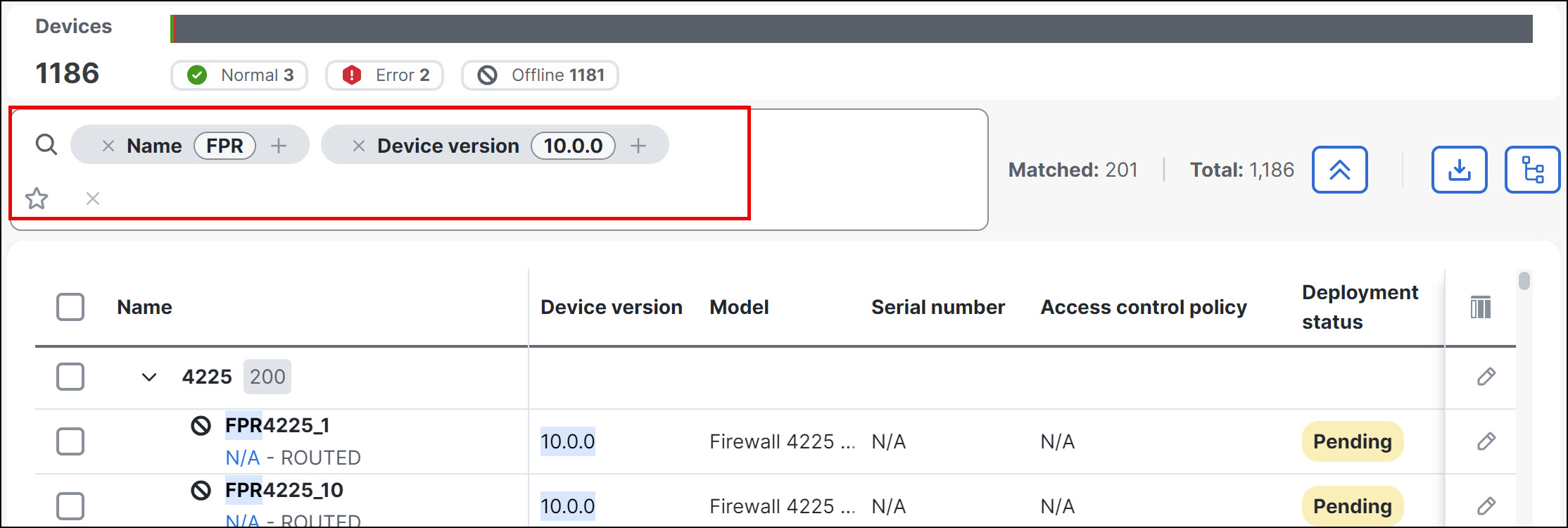
In the example shown in the figure, the filter searches for devices with names that contain "FPR" andare of version of "10.0.0".
| ||
Step 2 | Click the Favourite Searches (
|
 ) icon and do one of the following:
The enhanced filters display devices that match your search criteria, and saved searches are available for future use through the Favourite Searches feature.