Configure elephant flow remediation exemption
This task allows you to create exemption rules for specific flows that should not be subject to remediation actions even when detected as elephant flows.
You can configure L4 access control list (ACL) rules for flows that must be exempted from remediation. If a flow is detected as an elephant flow and it matches the rules that are defined, that flow is exempted from remediation.
Before you begin
You must be running management center version 7.4.0 or later and the managed threat defense must also be on version 7.4.0 or later.
Follow these steps to configure elephant flow remediation exemption.
Procedure
Step 1 | Choose . |
Step 2 | Click Edit ( |
Step 3 | Choose Advanced Settings from the More drop-down arrow at the end of the packet flow line. |
Step 4 | Click Edit ( |
Step 5 | Click the Add Rule button next to Remediation Exemption Rules. 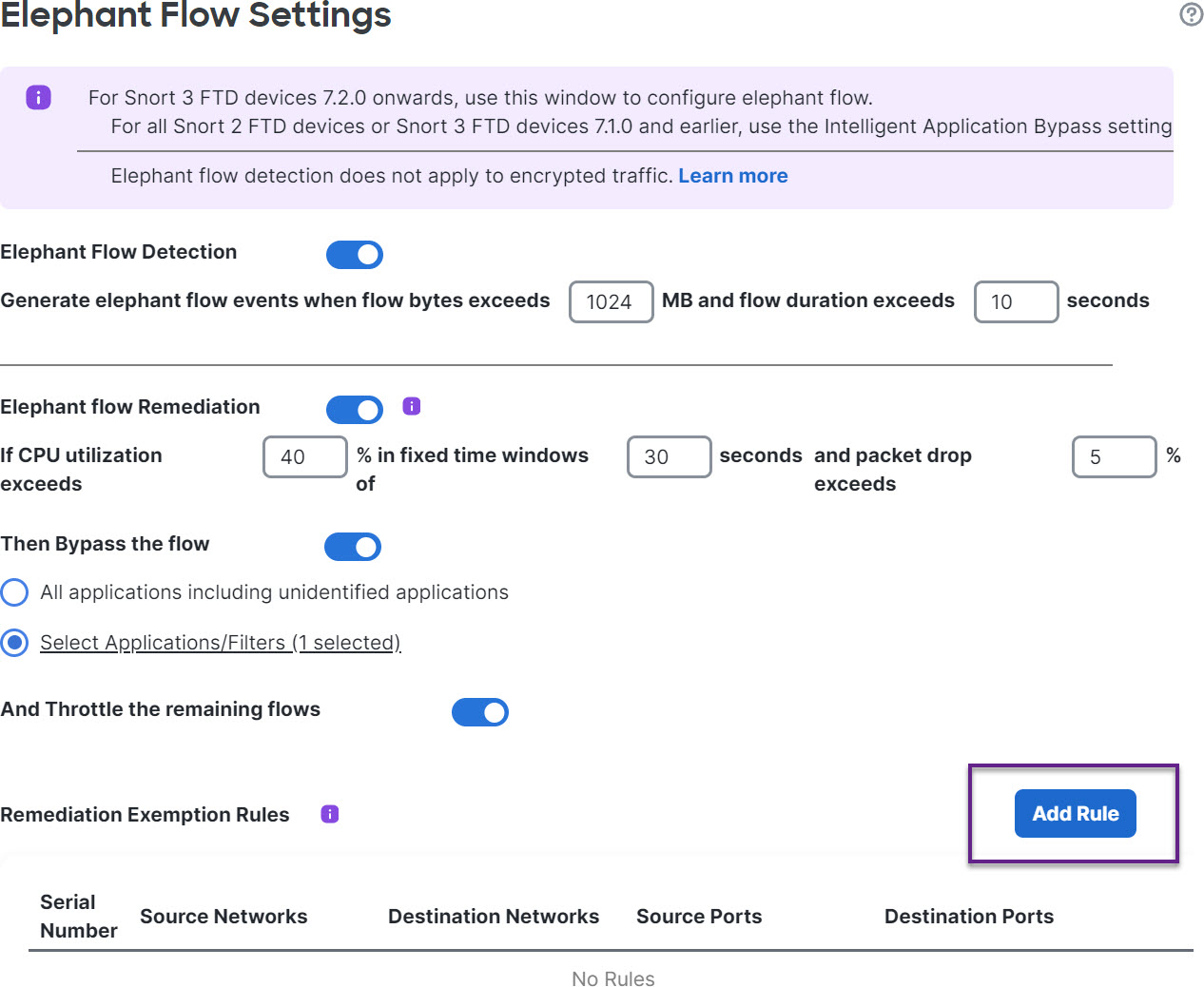
|
Step 6 | From the list of Available Networks, choose the configured host to exempt from elephant flow remediation. For the purposes of this example, we have created a host called "Host1_Exception." 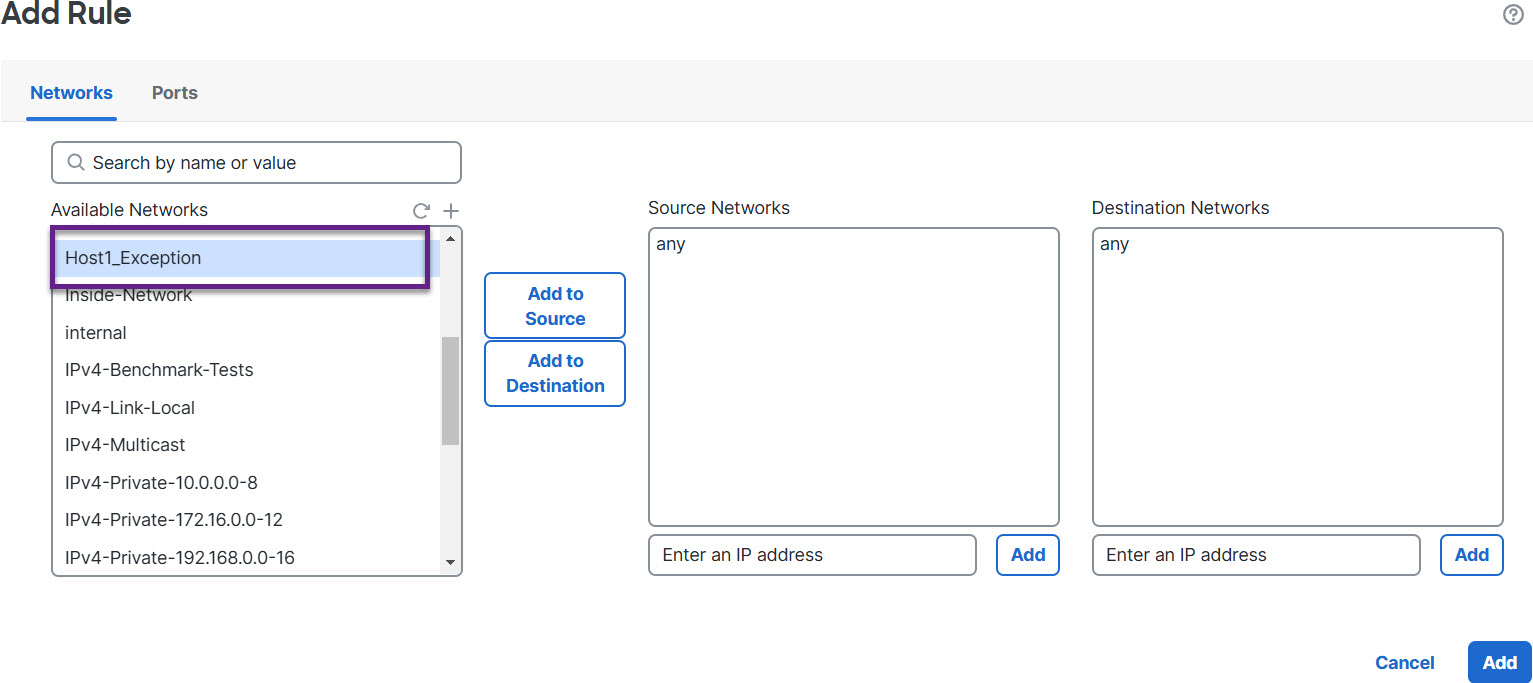
|
Step 7 | Click Add to Source or Add to Destination as needed to add this host to the source or destination. |
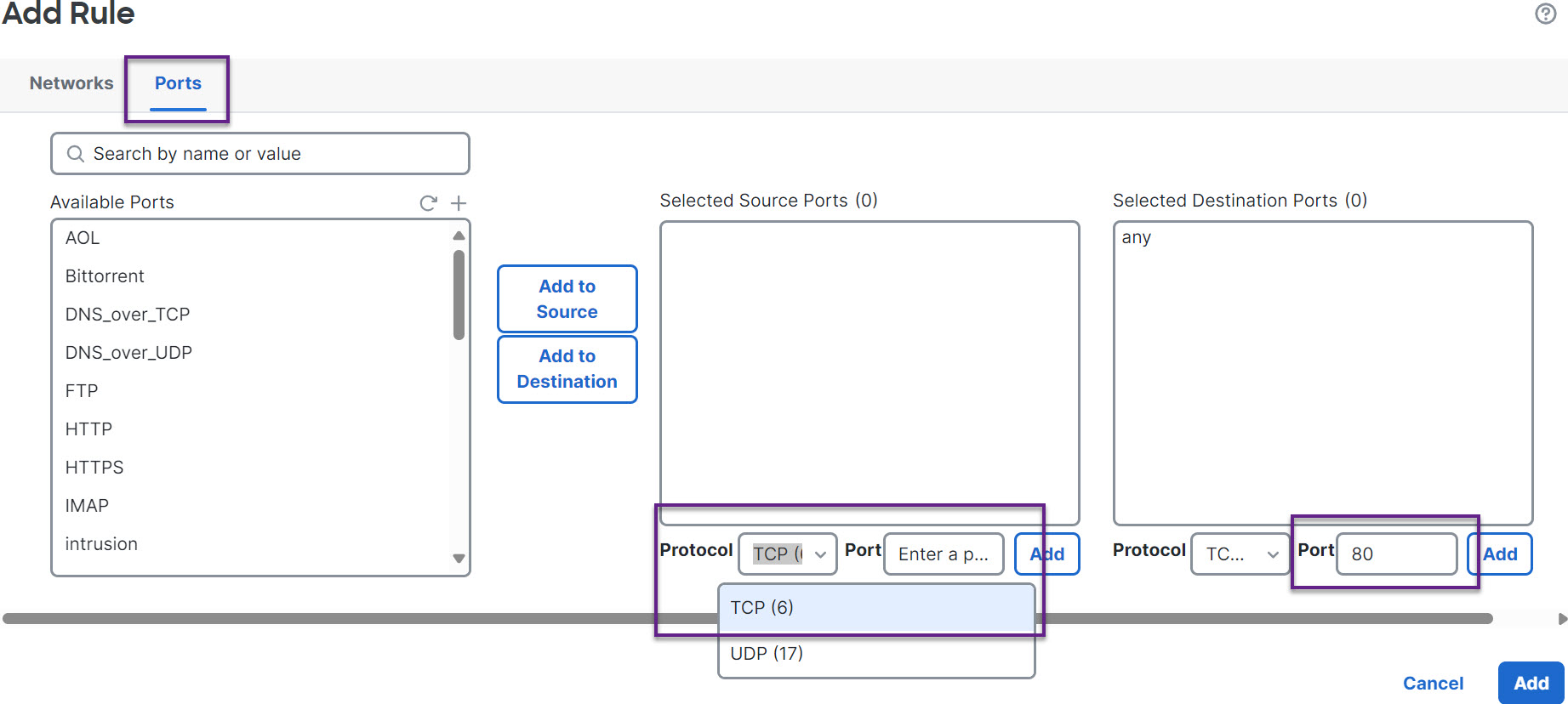
Step 8 | Click the Ports tab.
|
Step 9 | Click Save. |

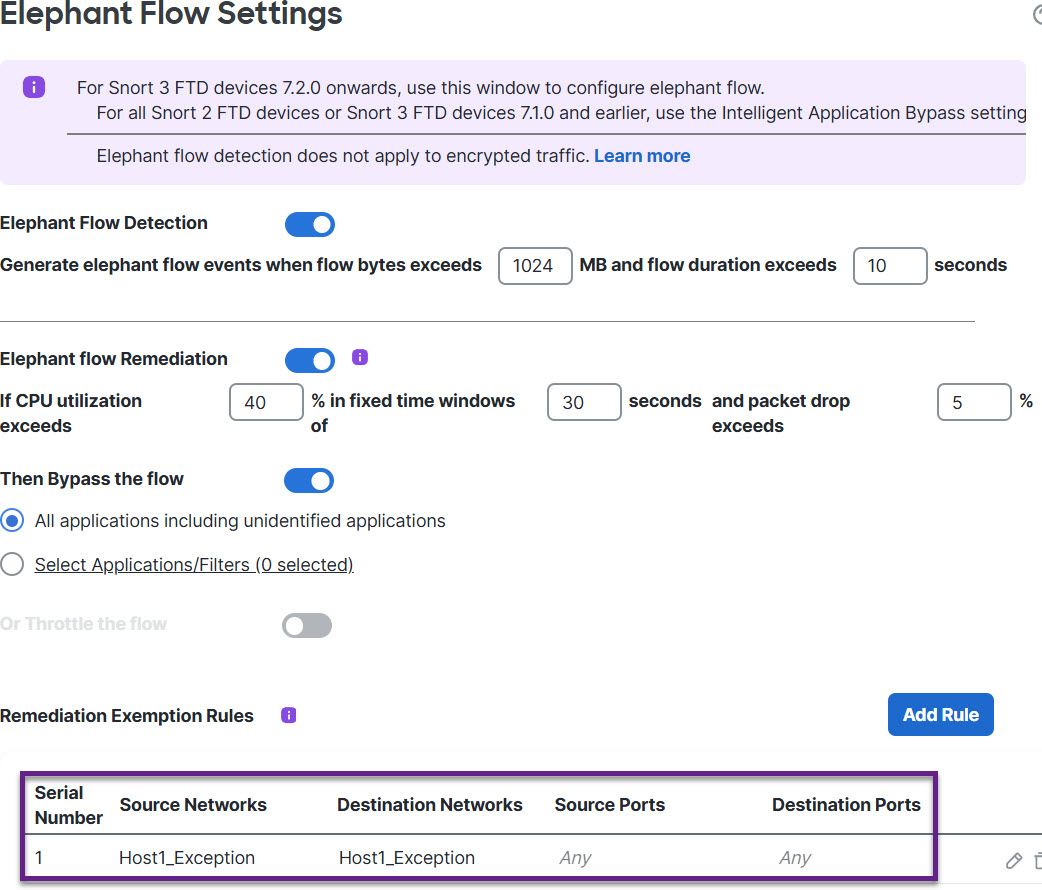
What to do next
Deploy configuration changes.