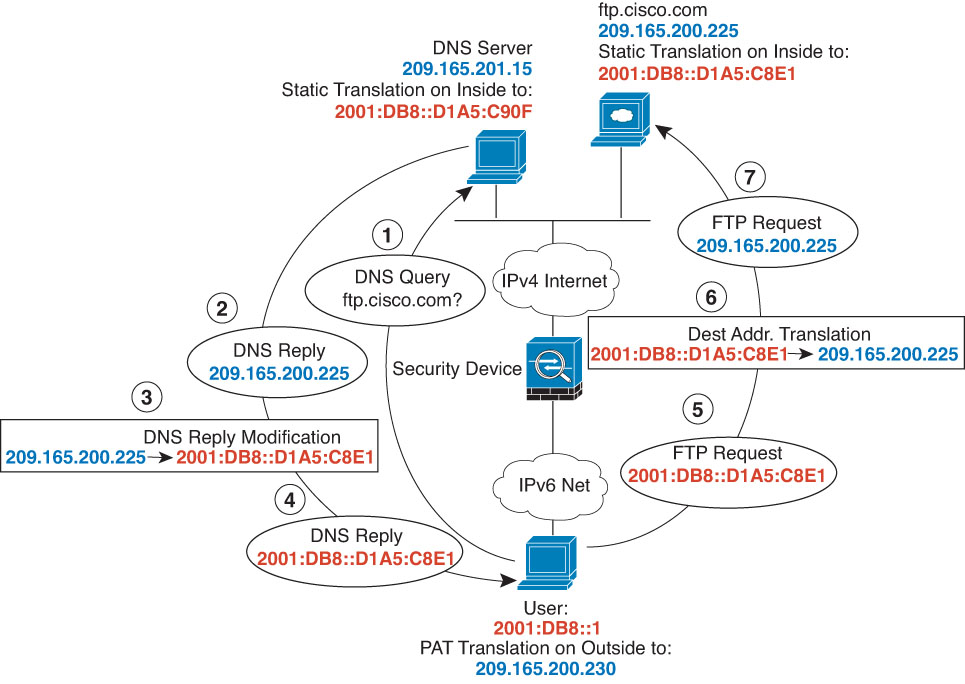
The following figure shows an FTP server and DNS server on the
outside IPv4 network. The system has a static translation for the outside
server. In this case, when an inside IPv6 user requests the address for
ftp.cisco.com from the DNS server, the DNS server responds with the real
address, 209.165.200.225.
Because you want inside users to use the mapped address for
ftp.cisco.com (2001:DB8::D1A5:C8E1, where D1A5:C8E1 is the IPv6 equivalent of
209.165.200.225) you need to configure DNS reply modification for the static
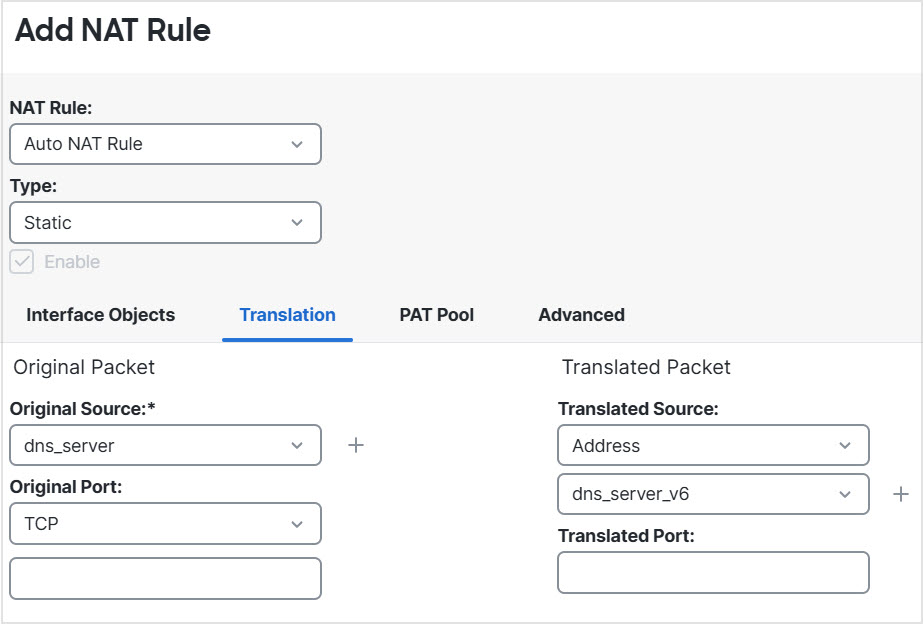
translation. This example also includes a static NAT translation for the DNS
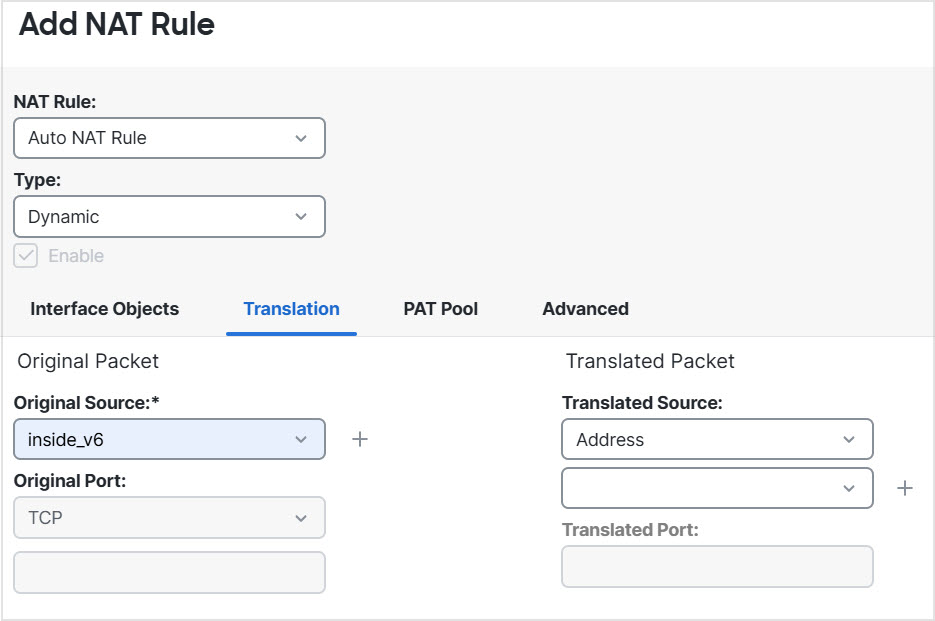
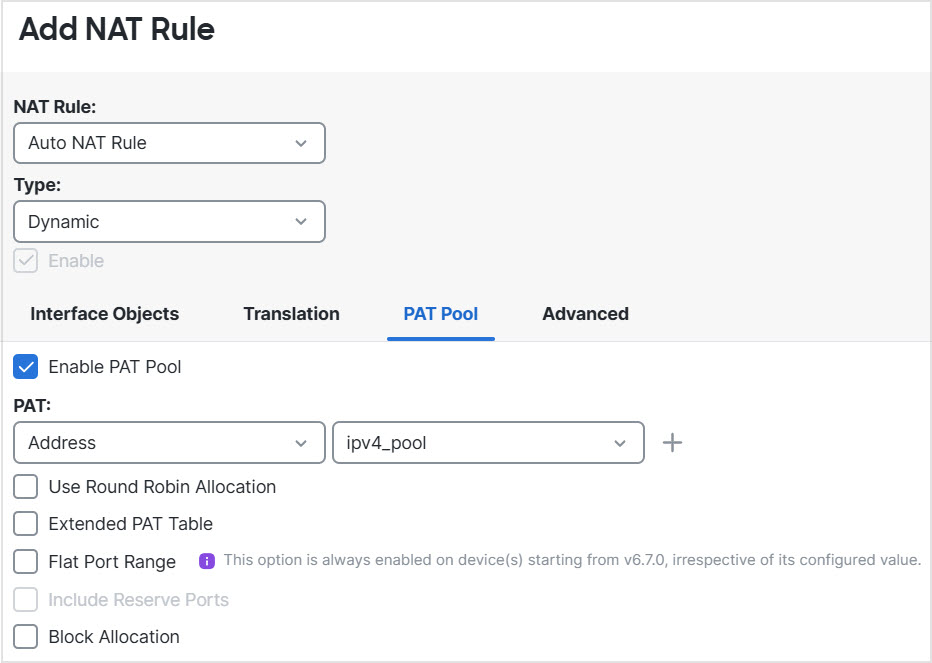
server, and a PAT rule for the inside IPv6 hosts.
Before you begin
Ensure that you have interface objects (security zones or interface groups) that contain the interfaces for the device. In this example, we will assume the interface objects are security zones named inside and outside. To configure interface objects, select Objects > Interface.
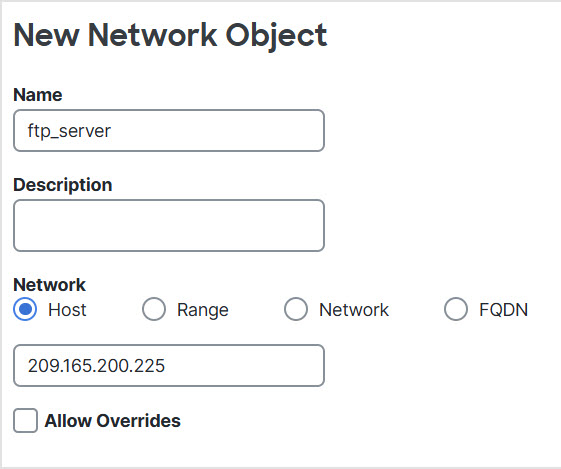
Name the network object (for example, ftp_server) and enter the host address, 209.165.200.225.
Click Save.
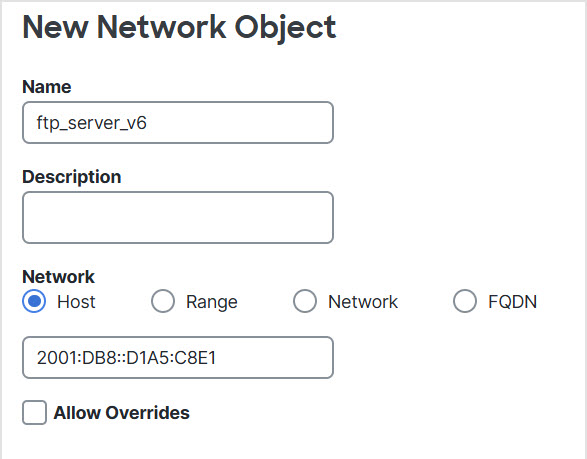
Click Add Network > Add Object and define the FTP server's translated IPv6 address.
Name the network object (for example, ftp_server_v6) and enter the host address, 2001:DB8::D1A5:C8E1.
Click Save.
Step 2
Create the network objects for the DNS server.
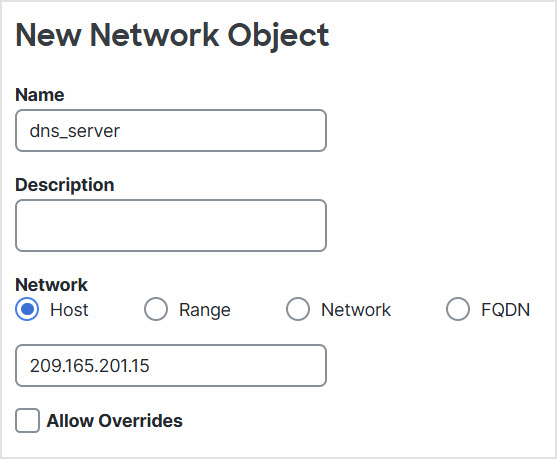
Click Add Network > Add Object and define the DNS server's real address.
Name the network object (for example, dns_server) and enter the host address, 209.165.201.15.
Click Save.
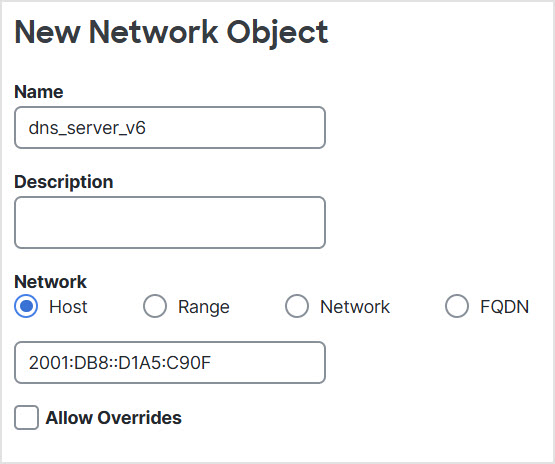
Click Add Network > Add Object and define the DNS server's translated IPv6 address.
Name the network object (for example, dns_server_v6) and enter the host address, 2001:DB8::D1A5:C90F (where D1A5:C90F is the IPv6 equivalent of 209.165.201.15).
Click Save.
Step 3
Create the network objects for the inside network.
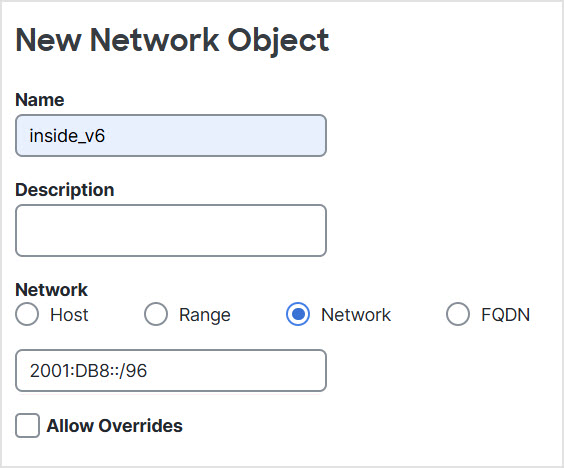
Click Add Network > Add Object and define the inside IPv6 network.
Name the network object (for example, inside_v6) and enter the network address, 2001:DB8::/96.
Click Save.
Step 4
Create the network objects for the PAT pool.
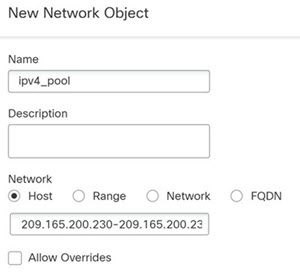
Click Add Network > Add Object and define the IPv4 PAT pool for the inside IPv6 network.
Name the network object (for example, ipv4_pool) and enter the range 209.165.200.230-209.165.200.235.
Click Save.
Step 5
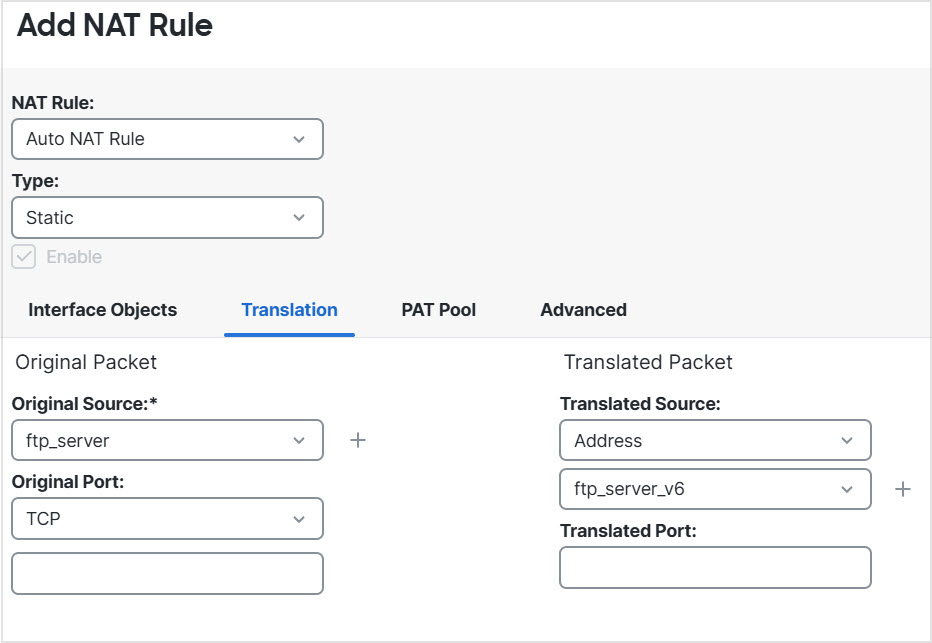
Configure the static NAT rule with DNS modification for the FTP server.
Select Policies > Network policies > NAT and create or edit the Firewall Threat Defense NAT policy.