Generate an internal CA for outbound protection
This task allows you to generate an internal certificate authority object to protect outbound connections when creating a decryption rule.
This task discusses how you can optionally generate an internal certificate authority when you create a decryption rule that protects outbound connections. You can also perform these tasks using as discussed in Upload a signed certificate issued in response to a CSR.
Before you begin
Make sure you understand the requirements for generating an internal certificate authority object as discussed in Internal certificate authority objects.
Procedure
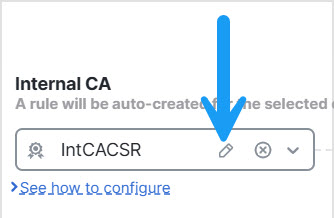
Step 1 | From the Internal CA list, click . |
Step 2 | Give the internal CA a Name and provide a two-letter Country Name. |
Step 3 | Click Self-Signed or CSR. For more information about these options, see Internal certificate authority objects. |
Step 4 | Enter the requested information in the provided fields. |
Step 5 | Click Save. |
Step 6 | If you chose CSR, after the signing request has been completed, click Install Certificate as follows:
|
Step 7 | Continue creating the policy as discussed in Create a rule-based decryption policy with outbound connection protection. |