Merge the management and diagnostic interfaces
This task merges the Management and Diagnostic interfaces on devices that have existing Diagnostic interface configurations that prevent automatic merging.
Starting with version 7.4, Firewall Threat Defense supports a merged Management and Diagnostic interface. "If your configuration uses the Diagnostic interface, the interfaces are not merged automatically. You must perform this procedure to complete the merge. This procedure requires you to acknowledge configuration changes and, in some cases, manually fix the configuration.
The Backup/Restore and Cloud-Delivered Firewall Management Center configuration rollback functions save and restore the merged state, whether it is non-merged or merged. For example, if you merge the interfaces and then restore an old non-merged configuration, the restored configuration will be in a non-merged state.
This table shows the available configuration on the legacy Diagnostic interface, and how the merge is completed.
Before you begin
-
To view the current mode of the device, enter the show management-interface convergence command at the Firewall Threat Defense CLI. The following output shows that the Management interfaces are merged:
> show management-interface convergence
management-interface convergence
>
The following output shows that the Management interfaces are not merged:
> show management-interface convergence no management-interface convergence > -
For High Availability pairs and clusters, perform this task on the active/control unit. The merged configuration will be replicated automatically to the standby/data units.
Follow these steps to merge the Management and Diagnostic interfaces:
Procedure
Step 1 | Choose , and click Edit ( | ||
Step 2 | Edit the Diagnostic interface, and remove the IP address. You cannot complete the merge until after you have removed the Diagnostic IP address. | ||
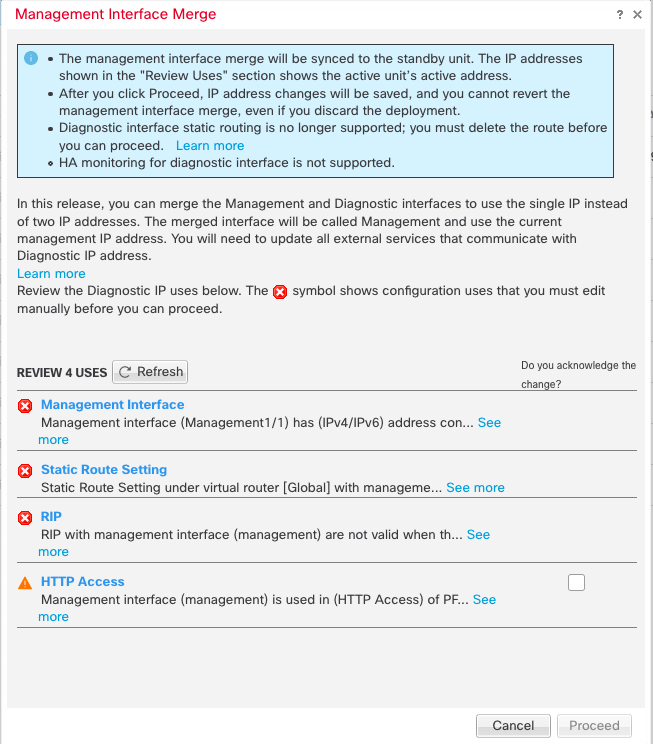
Step 3 | Click Management Interface Merge in the Management Interface action needed area. The Management Interface Merge dialog box shows all the occurrences of the Diagnostic interface in the configuration. For any occurrences that require you to manually remove or change the configuration, they will appear with a warning icon. Platform Settings that will no longer work on your device are marked with a caution icon and require your acknowledgement.
| ||
Step 4 | If you need to manually remove or change any listed configurations, do the following. | ||
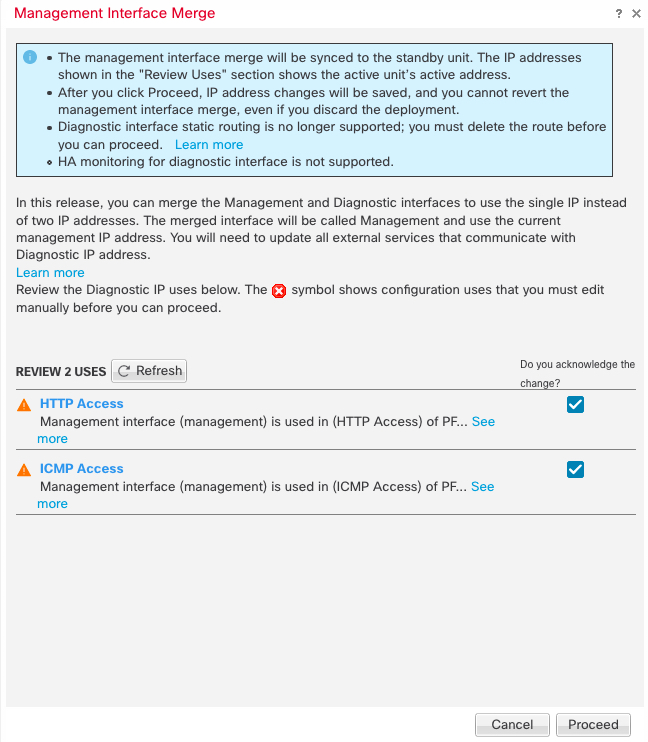
Step 5 | For each configuration caution, click the box in Do you acknowledge the change? column, and then click Proceed.
After the configuration is merged, you see a success banner:
| ||
Step 6 | Deploy the new merged configuration.
After the merge, the Management interface is shown on the Interfaces page, although it is read-only. | ||
Step 7 | After the merge, if you had any external services that communicated with the Diagnostic interface, you need to change their configuration to use the Management interface IP address. For example:
|