Register Cisco ISE with the Catalyst Cloud Portal
Register Cisco ISE as an app in the Catalyst Cloud Portal to authenticate communication between the systems.
This task discusses how to register Cisco ISE as an app in the Catalyst Cloud Portal and to authenticate communication between the Catalyst Cloud Portal and Cisco ISE.
Also refer to Register Cisco ISE in the pxGrid Cloud Solution Guide.
Procedure
Step 1 | Log in to the Cisco Cloud Catalyst Portal. If prompted, choose an account to use. |
Step 2 | Click Register. |
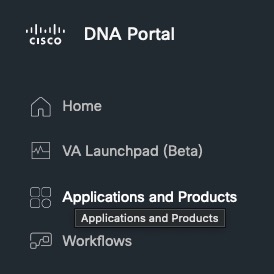
Step 3 | In the Catalyst Cloud Portal, click
|
Step 4 | At the top of the page, click Products. |
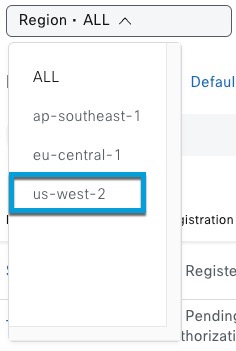
Step 5 | From the Region list, click us-west-2, eu-central-1, or ap-southeast-1.
|
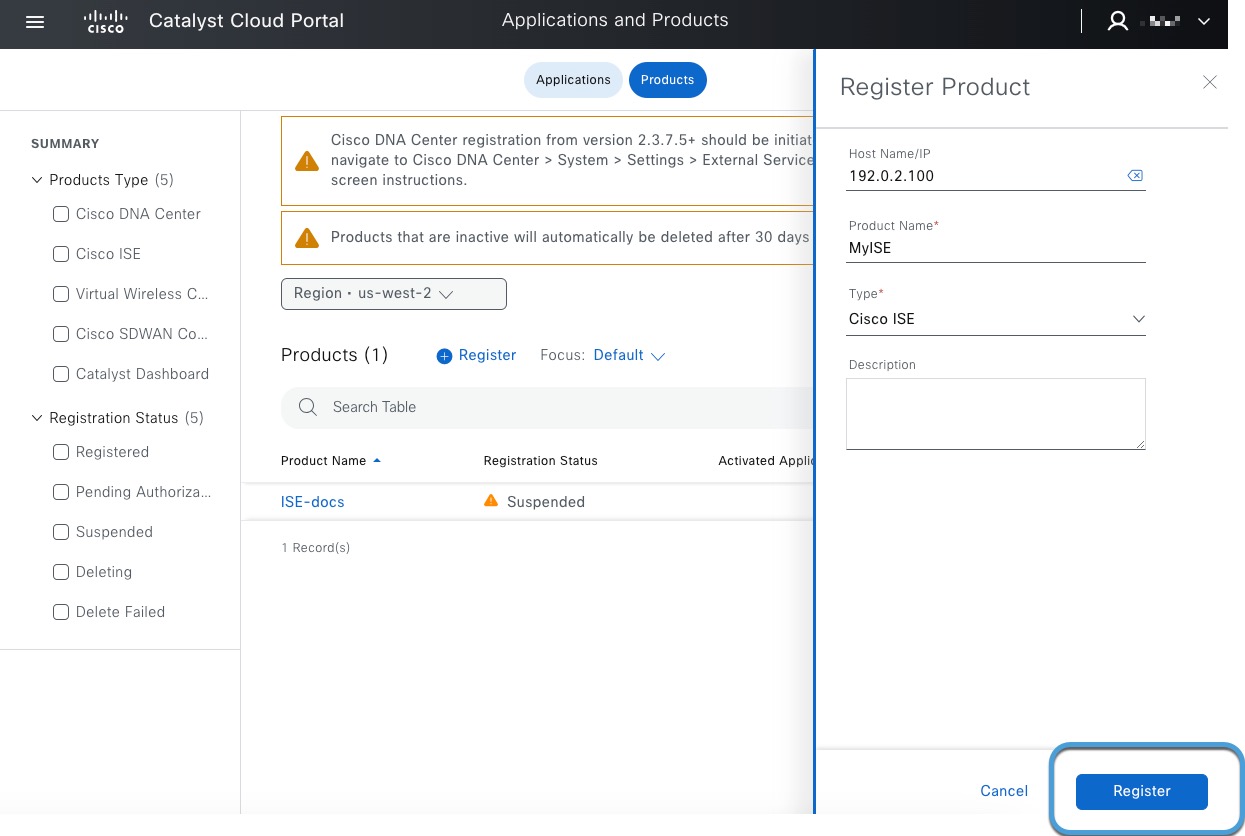
Step 6 | Click Register. The registration page appears.
|
Step 7 | Enter the required information.
|
Step 8 | Click Register. |
Step 9 | Generate a one-time password (OTP).
|

 to copy it to the clipboard; you'll need it in the next part of this procedure.