How the pxGrid Cloud identity source works
Summary
The key components involved in the pxGrid Cloud identity source are:
-
Cloud-Delivered Firewall Management Center: Uses the pxGrid Cloud SDK to programmatically retrieve user information
-
Cisco ISE: Provides user information, SGT, endpoint profile, and other details
-
pxGrid Cloud: Facilitates secure data exchange between the management center and ISE
-
Authentication process: Requires one-time passwords (OTP) to establish trusted communication
Workflow
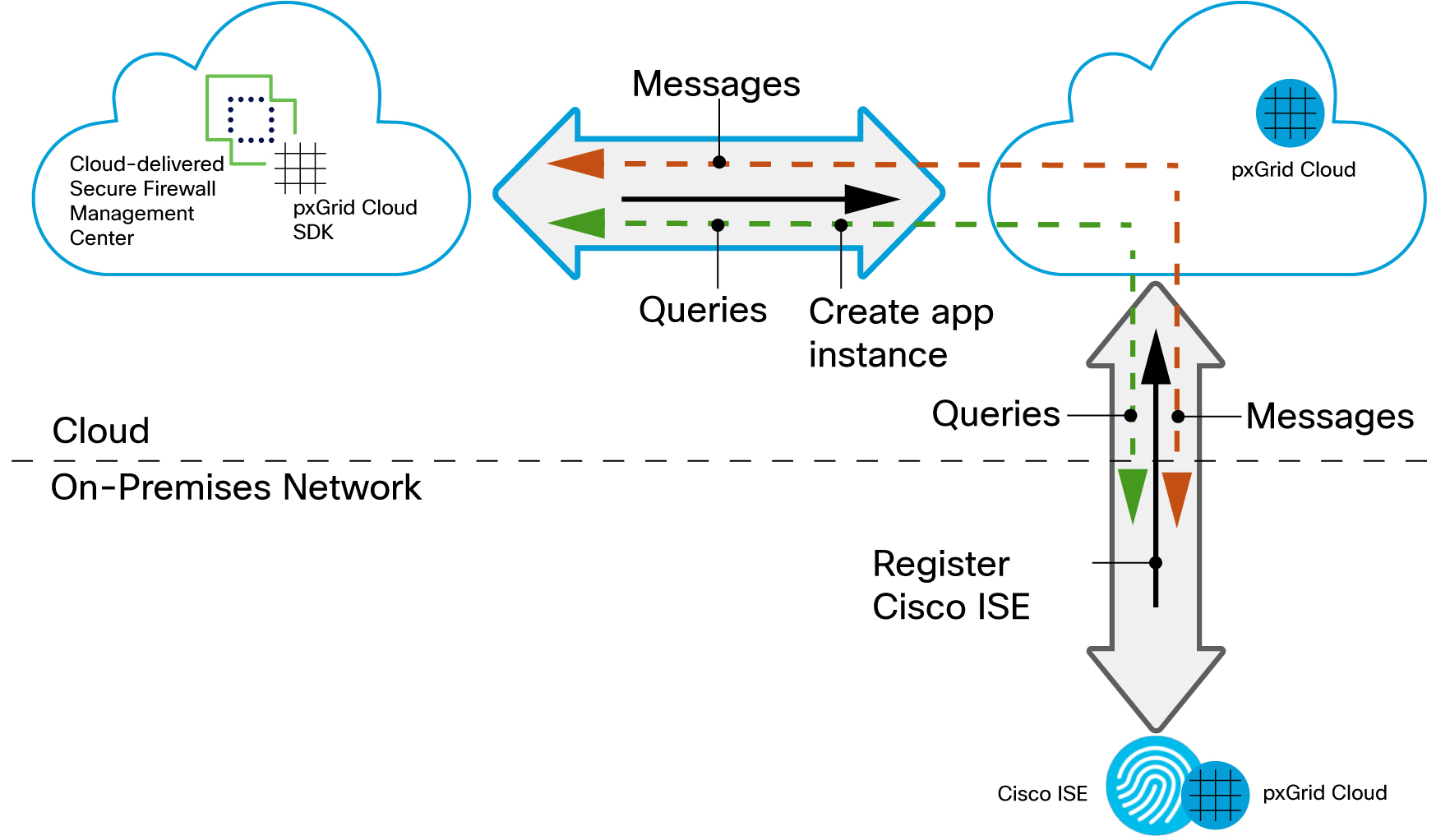
These stages describe how the pxGrid Cloud identity source works:
- In Cisco ISE, the administrator enables the use of pxGrid Cloud.
- The administrator registers Cisco ISE as a product in pxGrid Cloud, which authenticates Cisco ISE and pxGrid Cloud and enables them to communicate with each other. The authentication process requires you to paste a one-time password (OTP) from pxGrid Cloud into Cisco ISE.
- In pxGrid Cloud, the administrator creates an "app instance" that generates an OTP for use in the Cloud-Delivered Firewall Management Center to authenticate the two with each other.
- After completing all the preceding tasks, the Cloud-Delivered Firewall Management Center (which includes the pxGrid Cloud SDK) can query Cisco ISE using pxGrid Cloud and retrieve sessions containing user information, SGT, endpoint profile, and other details.
- Many types of dynamic objects can be filtered and sent to the Cloud-Delivered Firewall Management Center as dynamic objects to be used in access control rules. These include: SGT, endpoint profile, posture status, and machine authentication. User information is retrieved from Cisco ISE and group information is retrieved from either Microsoft Active Directory or Azure Active Directory.