Change the control node
This task changes the control node in a cluster when you need to specify the exact unit you want to become the control node.
The best method to change the control node is to disable clustering on the control node, wait for a new control election, and then re-enable clustering. Use this procedure when you must specify the exact unit you want to become the control node.
Caution | If you must specify the exact unit you want to become the control node, use the procedure in this section. Note that for centralized features, if you force a control node change using either method, then all connections are dropped, and you have to re-establish the connections on the new control node. |
Before you begin
Follow these steps to change the control node:
Procedure
Step 1 | Open the Cluster Status dialog box by choosing , More ( 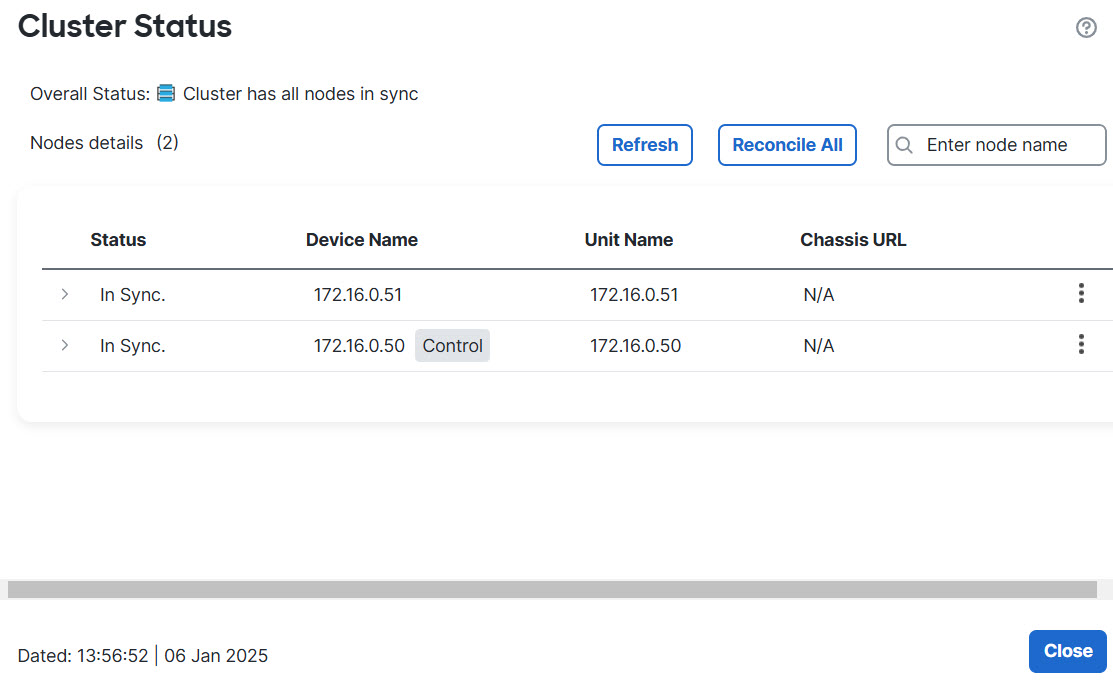
|
Step 2 | For the unit you want to become the control unit, choose More ( |
Step 3 | You are prompted to confirm the role change. Select the checkbox and click OK. |
