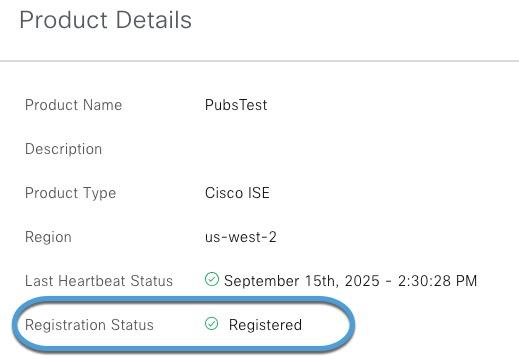
Verify Cisco ISE registration in the Catalyst Cloud Portal
This task allows you to confirm that Cisco ISE is properly registered with the Catalyst Cloud Portal.
This task explains how to verify that Cisco ISE is registered with the Catalyst Cloud Portal.
Before you begin
Complete the tasks discussed in Enable the pxGrid Cloud service in Cisco ISE.
Procedure
Step 1 | Log in to the Cisco Catalyst Cloud Portal. |
Step 2 | If prompted, select the account. |
Step 3 | In the left navigation, click |
Step 4 | At the top of the page, click Products. |
Step 5 | Click the name of the Cisco ISE deployment you created previously. |
Step 6 | Make sure that Registered is displayed for its status. Example:
|