Primary device cannot be processed
This task resolves the error "primary device cannot be processed" or "ISE is unhealthy" that occurs when a Cisco ISE cluster is associated with more than one app instance.
Each Cisco ISE cluster must be associated with one and only one app instance, typically in a single dedicated tenant.
If you associate a Cisco ISE with more than one app instance, an error such as Error occured: primary device cannot be processed or ISE is unhealthy is displayed for the identity source.
Example:
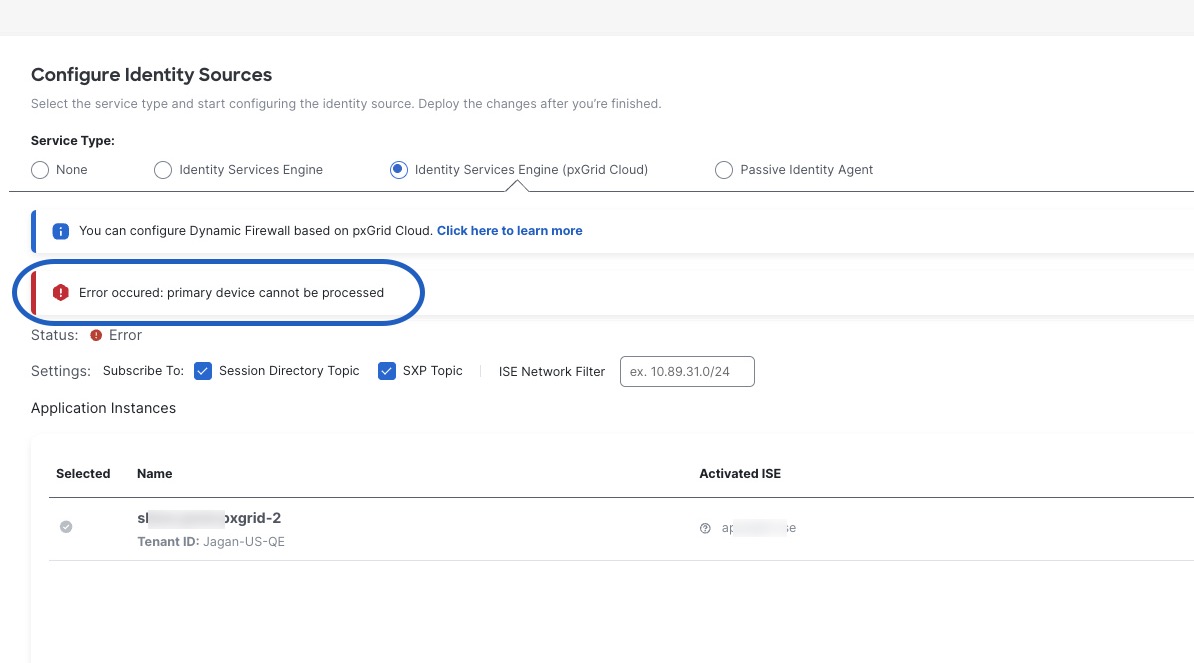
The solution is to deactivate the ISE properly from other app instances for that tenant, before using it in any other tenant or app instance
Procedure
Step 1 | Log in to the Cisco Catalyst Cloud Portal. |
Step 2 | At the top of the page, click Applications. |
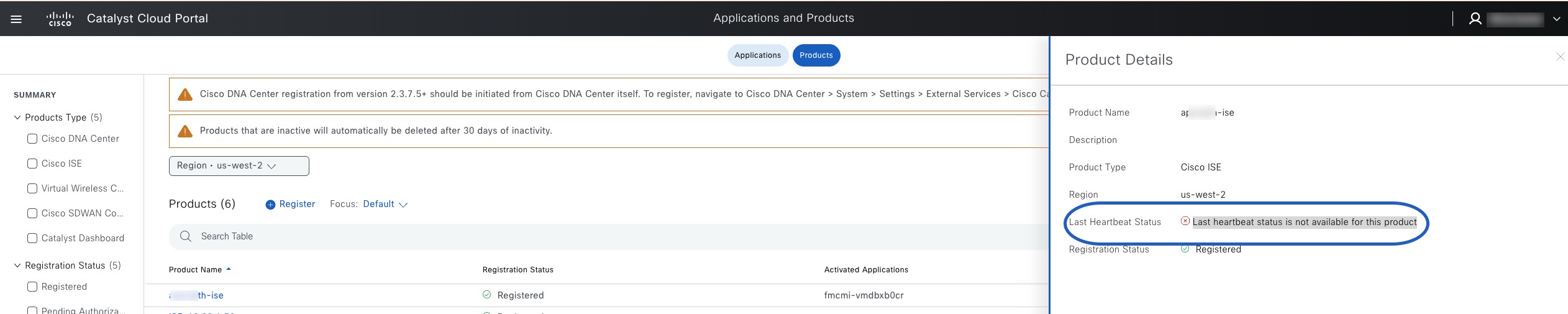
Step 3 | Locate a Cisco ISE product that is activated and verify it is the one causing the issue. Example:
|
Step 4 | Wait for the product to be removed. |
Step 5 | Deactivate the app instance as described in Deactivate the pxGrid Cloud app instance. |