Import or export the chassis configuration
You can use the configuration export feature to export an XML file containing chassis configuration settings to your local computer. You can later import that configuration file to quickly apply the configuration settings to your chassis to return to a known good configuration or to recover from a system failure.
Note | If you need to import the configuration into a new chassis of the same model, contact Cisco TAC. |
When exporting, only chassis configurations are exported; instance configuration settings are not exported. Instances need to be backed up separately using the device backup/restore feature.
When importing, all existing configurations on the chassis will be replaced by the configuration in the import file.
Before you begin
When you import the configuration to the same chassis, make sure the chassis matches for the following:
-
Same chassis software version
-
Same Firewall Threat Defense instance images
-
Same network modules
Procedure
Step 1 | From , click Manage in the Chassis column or click Edit ( 
The Chassis Manager page opens for the chassis to the Summary page. |
Step 2 | Click System Configuration. |
Step 3 | Click Import/Export. |
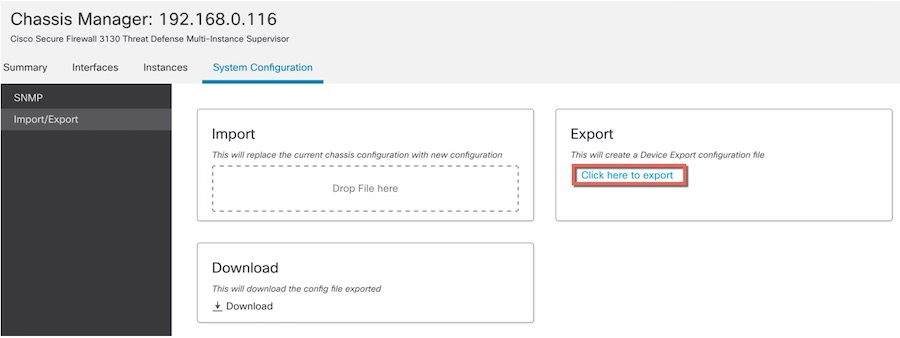
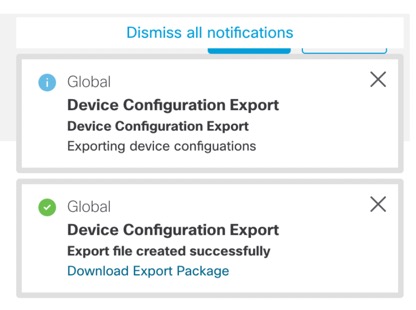
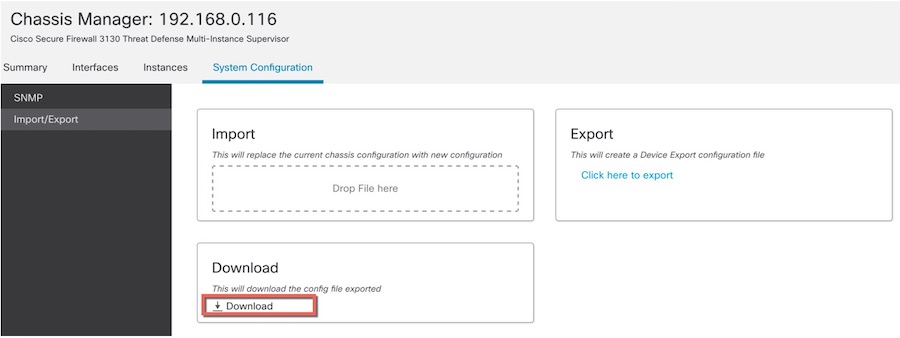
Step 4 | To export the configuration, follow these steps.
|
Step 5 | To import a configuration, drag the .sfo file on the area. 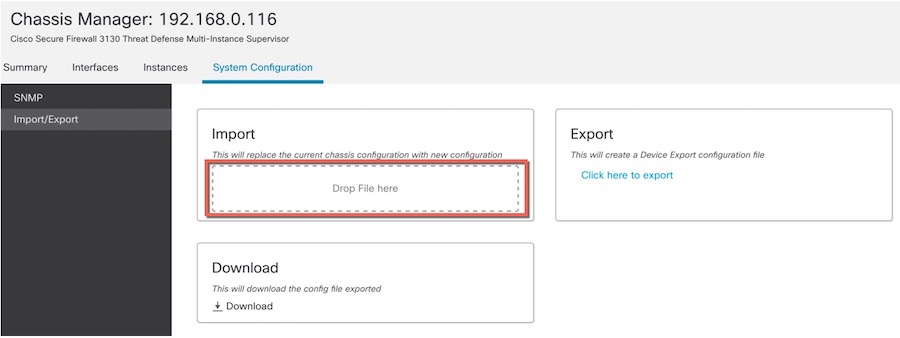
|